What are the use of Keywords Function F1 to F12 In English
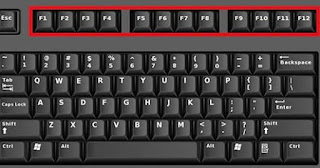
12 Function Key: Functions Key F1. 1. If you press this key as soon as the computer is switched on, the setup of the computer (CMOS) will open, in which the sensitive computer settings can be viewed or changed. 2. If you have opened Windows, pressing this key will open the Windows Help and Support dialog, showing solutions to common problems. 3. If you are working in Internet Explorer browser, then pressing this key will open the help page of this browser. 4. Pressing this key in the Chrome browser will open the help center of Google Chrome. 5. Pressing Control + F1 in Microsoft Word will run the software in full screen mode. Pressing again will return to normal. Function Key F2. 1. After clicking on a file, icon or folder in Windows, pressing F2 can be renamed immediately. 2. Pressing Control + F2 in Microsoft Word will open the print preview page, which shows how your document will look when it is printed. 3. Pressing Alt +...